
DreamShot - AI Image & Video
DooMoonVideo Players & Editors
3.68.00 Reviews
- Version
- 0.4.0
- Installs
- 100.00K
- Age Rating
- Everyone
Screenshots
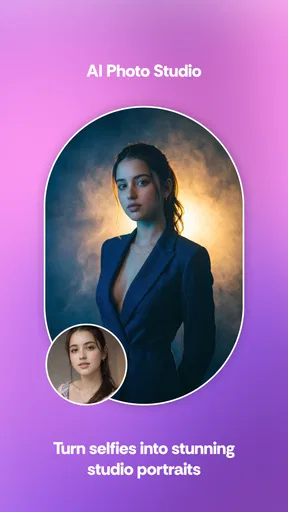
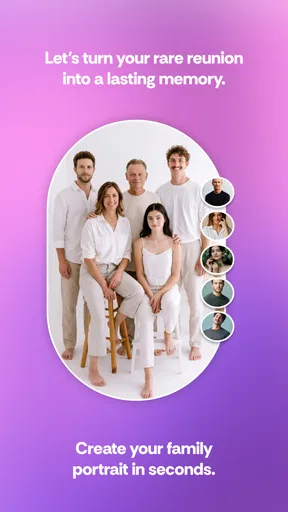
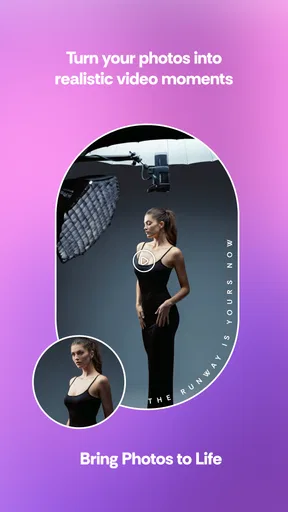
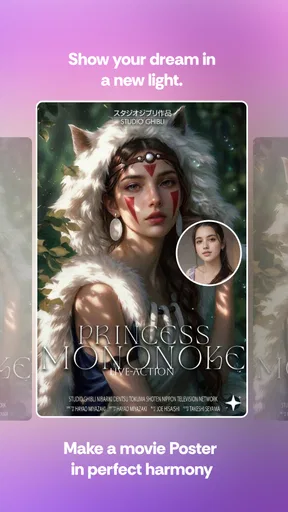
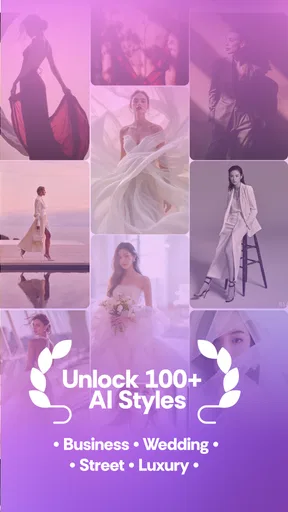
Our Review of DreamShot - AI Image & Video
 Analysis by Appyee
I tried DreamShot - AI Image & Video as a mobile creative app rather than treating it as just another filter tool. Its focus is clear: turning personal photos into AI-generated images and videos, with special attention to polished portrait results. That makes it appealing when I want something more finished than a quick social-media effect, but it also means the experience depends heavily on how quickly the app can send an image for processing and return the result.
DreamShot is developed by DooMoon and sits in the video players and editing category. It is free to install, although individual in-app purchases range from $9.99 to $34.99. The app is rated for Everyone, so its presentation is approachable for a broad audience. At the same time, the current version is still 0.3.0, and its average rating of 3.0 suggests that I would approach it with curiosity rather than assuming a perfectly mature editing workflow.
How DreamShot feels when the network is part of the workflow
The first thing I noticed is that DreamShot makes most sense when I have a stable connection and a little patience. AI image and video generation is not like trimming a clip already saved on the phone. I choose a source image, request a transformation, and then wait for the app to complete a process that relies on communication beyond the device. That changes how I use it: I see it as a creation service for planned moments, not as an instant editor for every situation.
For example, I can imagine using it before a birthday post. I might take several selfies at home, select the one with the clearest face, and try a studio-style treatment while connected to reliable Wi-Fi. If the result looks good, I can save it for a profile image or a greeting. If I am standing outside at an event with a weak signal, the same idea becomes less convenient because the creative process is tied to the quality of the connection.
This network dependence is not automatically a flaw. It is a practical trade-off of AI processing. The important point is to plan around it. I would not begin a generation immediately before needing to publish something. I would create the image earlier, check the result, and keep the original photo available in case the output is not suitable.
DreamShot is more interesting to me when I treat each generation as an experiment. A single portrait can produce a result that feels professional, but another may look less natural around hair, facial details, clothing edges, or lighting. A dependable connection makes it easier to try again instead of judging the app after one attempt. The wait itself is manageable when I have time, but it becomes frustrating when I am trying to produce a quick reaction image in the middle of a conversation.
Portrait work is where the app makes the strongest case
The app’s most obvious use is improving the way a selfie presents itself. I would use a front-facing photo with even lighting, a visible face, and a simple background rather than a crowded group shot. That gives the AI a cleaner starting point and reduces the chance that the result has to interpret too many competing details. A photo taken near a window is usually a better candidate than one captured in a dark room, not because DreamShot promises professional photography, but because better source material gives any transformation more to work with.
There is also a useful distinction between a polished headshot and a faithful personal photo. DreamShot can be attractive when I want a more formal or imaginative version of myself, but I would inspect the result closely before using it for anything important. AI portraits can make small changes to expression, skin texture, hair, or proportions. For a social profile, that may be acceptable. For an identification document, a business record, or a situation where accuracy matters, I would choose a conventional camera and editor instead.
A practical trick is to keep the original beside the generated version while deciding. If the new image looks impressive at first glance but no longer resembles me closely enough, I would use it as a creative post rather than a serious headshot. That simple comparison prevents the polished finish from becoming misleading.
Using it on a phone instead of at a desk
DreamShot is suited to the kind of spontaneous workflow that happens on a phone: take a picture, choose it from the gallery, request an AI treatment, and decide whether the result is worth keeping. I like that idea for travelers, students, creators, and anyone who wants a quick visual concept without opening a full desktop editor. The phone is already where the source photos live, so there is no need to move them to a computer before experimenting.
Still, mobile convenience should not be confused with complete editing control. A traditional editor gives me precise tools for cropping, color correction, masking, timing, and manual cleanup. DreamShot is better when I want the app to handle the creative transformation. If I already know exactly how I want a video framed or which part of an image needs retouching, a familiar editor may be faster and more predictable.
I would also avoid starting a large batch of experiments while my phone is low on battery or when I am relying on a limited mobile connection. AI creation can encourage repeated attempts, especially when the first result is almost right. That makes it easy to spend more data, time, or money than expected without noticing. Working from a small, carefully selected set of source images keeps the process easier to control.
The mobile setting is especially useful for a small business owner who needs a quick profile image but does not have access to studio equipment. I could take several portraits during daylight, test one or two polished variations, and then decide whether one is suitable for a staff page or social account. I would still review the image at a larger size before publishing, because details that look fine on a phone preview can become distracting once the picture is displayed elsewhere.
What I do when a generation fails or the result is weak
Any AI creative app needs a recovery habit, and mine with DreamShot would begin before pressing the generate button. I keep the unedited source photo, avoid deleting an earlier result too quickly, and make changes one at a time. If I replace the photo, alter the intended style, and change the crop all at once, I cannot tell which decision improved or harmed the outcome.
If a result looks unnatural, I would first try a cleaner source image rather than immediately assuming the app is broken. A face partly covered by sunglasses, a hand across the mouth, harsh backlighting, or several people in the frame gives the system a harder job. A straightforward portrait with the face fully visible is a more sensible second attempt. This is one of the most useful ways to reduce wasted generations.
Connectivity adds another layer to failure recovery. If processing appears stuck, I would avoid repeatedly tapping the same action. I would check whether the phone has a stable connection, give the request a moment, and then reopen the workflow only if necessary. Repeated taps can create confusion about whether a request was submitted once or several times. I would also save successful images promptly instead of assuming that a generated preview will always remain available in exactly the same state.
Another realistic failure is not technical at all: the output may be attractive but unsuitable. A dramatic portrait can work for a creative post and still feel wrong for a professional identity. In that case, my recovery is to change the purpose, not force the image into the wrong role. DreamShot is more enjoyable when I accept that some attempts are visual sketches rather than final assets.
Keeping control of data, spending, and expectations
Because the app works with personal photos, I would be selective about what I upload. I would start with ordinary portraits rather than images containing private documents, home addresses, children, or other people who have not agreed to be included. This is not a claim about a particular policy; it is simply a sensible habit whenever personal media is sent through an online creative workflow.
Data-conscious use also means choosing Wi-Fi when I plan to make several attempts. A single experiment may be easy to fit into a mobile plan, but repeated image and video requests can become a different matter. I would prepare the source images first, remove obvious duplicates, and only submit the strongest candidates. That saves both connection time and the mental effort of sorting through many near-identical results.
The free installation makes it easy to test the basic experience before spending anything. I would take advantage of that by deciding whether the visual style is genuinely useful to me, rather than buying access because one preview looks exciting. The listed purchase range, from $9.99 to $34.99 per item, is significant enough that I would check exactly what an offered purchase unlocks and whether it matches my intended workflow before confirming it.
I would be especially cautious if I only need one profile picture. A conventional portrait, a standard editor, or a free camera app may solve that single need with less uncertainty. DreamShot becomes easier to justify when I expect to use its AI approach repeatedly for creative portraits, social visuals, or short visual concepts. The value depends less on the installation price and more on whether I will actually use the generated results.
There is a privacy and practicality balance here. Personal images are the reason the app can feel relevant, but they are also the reason I would not upload every photo in my gallery without thinking. I would create a separate selection folder, use copies rather than irreplaceable originals, and review each final image before sharing it. Those steps make the workflow more deliberate without taking away its convenience.
Where it fits beside ordinary editing apps
Compared with a standard mobile video editor, DreamShot is more focused on transformation than control. A conventional editor is the better choice when I need exact cuts, captions, audio placement, transitions, or a predictable export. It gives me decisions I can see and adjust directly. DreamShot is more appealing when I want the software to reinterpret a photo or help create a stylized visual from a simple starting point.
Compared with a camera app, it also serves a different purpose. The camera captures what is in front of me; DreamShot changes the presentation after capture. I would use the camera first and the AI app second, not expect the AI tool to replace good lighting, composition, or a clear subject. That order matters because the quality of the source image still influences how confident I feel about the result.
Compared with a desktop AI suite, the phone-first approach is more convenient but may feel less suitable for detailed professional work. I would choose DreamShot for quick concepts, profile experiments, and social content made close to the moment. I would choose a desktop workflow when I need repeatable brand consistency, fine retouching, or a carefully managed production process.
The current version, 0.3.0, also affects my expectations. I would treat the app as an evolving creative tool and allow for some rough edges in the workflow. Its reach is already visible in its 100K+ installs, but the average rating of 3.0 tells me that the experience will not satisfy everyone equally. I would test it personally with a few suitable photos before deciding whether it deserves a permanent place on my phone.
Who should try it and who should skip it
I think DreamShot is worth trying for someone who enjoys experimenting with self-portraits and wants more than basic stickers or color filters. It can be a good fit for a creator who needs quick visual ideas, a traveler who wants a polished social image, or a user who would rather describe a desired look through an AI workflow than edit every detail manually.
I would recommend skipping it if the main requirement is offline editing, exact manual control, or guaranteed consistency across a large set of images. The connection-dependent process is not ideal for flights, remote locations, or rushed situations with unreliable service. It is also not my first choice for sensitive photos or formal images where a generated appearance could create confusion.
Families should find the age rating approachable, but that does not remove the need for sensible supervision around personal photos and purchases. I would explain that a free install does not mean every creative option is free, particularly when the app presents individual purchases. That conversation is more useful than simply handing over the phone and assuming the workflow has no costs attached.
For a casual user, the deciding question is simple: do you want an AI reinterpretation, or do you want an editor? If the answer is reinterpretation, DreamShot has a clear reason to exist. If the answer is trimming, correcting, arranging, and exporting with precision, another app will probably feel more direct.
My verdict after considering the connected workflow
DreamShot is most convincing as a connected AI portrait playground, not as a replacement for a complete mobile editor. I like the idea of turning a carefully chosen selfie into something more polished without needing a desktop, and I can see real value in preparing a few variations for a profile, greeting, or social post. The strongest results are likely to come from users who choose good source photos, work on a reliable connection, and judge each output for its intended purpose.
The limitations are equally important. Waiting for processing, trying again after a weak result, managing mobile data, and thinking carefully about paid options all make the experience less instant than the simple concept suggests. The app’s early version and modest average rating give me another reason to test before committing to purchases or building an important project around it.
My practical recommendation is to install it free, use Wi-Fi, begin with a small set of non-sensitive portraits, and compare every result with the original. If the generated style matches the way you want to present yourself, it may become a handy creative companion. If you need offline reliability, detailed editing, or strict photographic accuracy, I would stay with a conventional camera and editor. For me, that makes DreamShot interesting and accessible, but best used as one connected step in a broader mobile creation workflow.
Verdict
Strengths of DreamShot - AI Image & Video
- Creates imaginative images from simple text prompts.
- Supports both image and video generation in one app.
- Useful for experimenting with different artistic styles.
- Can help produce quick content for social media posts.
- Beginner-friendly interface requires little creative experience.
Limitations of DreamShot - AI Image & Video
- Results may vary significantly between similar prompts.
- High-quality generations may require credits or a subscription.
- Video creation can take longer and use considerable device data.
- Some outputs may contain visual glitches or inaccurate details.
- Privacy terms should be checked before uploading personal images.
Other Releases by DooMoon
View All
Pivo AI - AI Video Maker
Video Players & Editors4.1

InFlux - AI Video Generator
Video Players & Editors3.3
Similar Picks in This Category
View All
Google TV
Google LLC3.9

iTunes
Apple4.7

YouTube
Google LLC3.8

MX Player
Amazon Mobile LLC4.2

CapCut - Video Editor
Bytedance Pte. Ltd.3.5

PLAYit-All in One Video Player
PLAYIT TECHNOLOGY PTE. LTD.4.5
Frequently Asked Questions
What is DreamShot - AI Image & Video, and what can I create with it?
DreamShot - AI Image & Video is an artificial intelligence creative app designed to turn written prompts or visual ideas into original images and short videos. Depending on the available tools and selected model, you may be able to create portraits, illustrations, wallpapers, fantasy scenes, social media visuals, animations, and other experimental content without advanced editing skills. Results can vary according to the prompt, style, and processing options.
Is DreamShot - AI Image & Video free to download and use?
The app may be available to download at no initial cost, but some generation features, premium styles, higher output quality, faster processing, or video tools can require in-app purchases or a subscription. Before creating a large number of images or videos, check the current pricing, credit system, and renewal terms shown in the App Store or Google Play listing and inside the application.
Does DreamShot require an internet connection to generate images or videos?
Most AI image and video generation takes place through online servers, so DreamShot generally requires a stable internet connection when submitting prompts and processing results. Offline access may be limited to viewing or managing previously saved creations. Generation speed can also depend on connection quality, server demand, the selected output resolution, and whether you are creating a still image or a more complex video.
Can I use DreamShot creations for commercial projects or social media?
You may be able to share generated images and videos on social networks or use them in personal projects, but commercial rights depend on DreamShot’s current terms of service, the subscription plan, and any restrictions related to the AI models or source material. Review the licensing conditions carefully, especially for advertising, client work, merchandise, and content that imitates identifiable people or copyrighted characters.
What privacy and safety issues should I consider before using DreamShot?
Before using DreamShot, review how the app handles prompts, uploaded photos, generated media, and account information. Avoid submitting confidential documents, private personal images, or photos of other people without permission. AI results can also contain unexpected details, biased representations, or inaccurate edits, so inspect every creation before sharing it. Keep the app updated and use official download sources to reduce security risks.
